Mesure de l'ensoleillement-luminosité avec un ordinateur monocarte (raspberry-orangepi)/en
Tuto — Difficulté : Moyen — Durée : 1 hour(s) — Coût : 140 EUR — Mise à jour : 28 novembre 2025 — 47 révision(s) — Licence : Attribution (CC BY)
Aires : Habitat Energie Outils — Contributeurs : FuzzyBot, Bababa
Fiche reformulée à partir du wiki Low-tech Lab : voir la fiche originale ↗
Versions de cette fiche : EN FR

Description
As you might not know, the meteorological surface synoptic observations data (SYNOP, available here: https://donneespubliques.meteofrance.fr/?fond=produit&id_produit=90&id_rubrique=32) does not take into account sunlight/luminosity. Sunlight/luminosity data can be interesting to gather for a diversity of uses (home well-being, photovoltaics production, plants care,...). For photovoltaics, although the technology is old, I did not manage to find reliable measurements for cloudy weather. We find videos of such a measurement, for example this one: https://www.youtube.com/watch?v=H_Aow78MFmQ&ab_channel=TopeSosanya that may suggest that solar pannels produce at 50% of their nominal capacity. My measurement instruments being subject to interferences, I dont really trust my measurements to be reliable, so i thought about producing simple code that other users less subject to interferences could reuse at their convenience. This tutorial will allow you, with only two commands (after installing operating system and docker), to use your single board computer like a weather station recording sunlight/luminosity every minute in a database and producing a web page where results can be retrieved with date filters options. the demo is available here: https://vpn.matangi.dev/lum Note: dont trust the measurements displayed in the demo above: the ecoterrorist french police doctrine destroys the possibility to do science correctly in france with computers. I do not have the adequate financial and technical means, and I do not want to spend time playing cat and mouse again and again to dodge recurring cyber attacks and shackles. The logic integrity of the code is good. If the system changes, or if you are not targetted too much, this could be useful. Publishing on lowtechlab is a signal to encourage you to do your own measurements with diy stuff, like a multimeter and an old offline camera to upload on youtube or peertube. If you read this tutorial and you are not yet an ecoterrorist, you have a superpower: the invisibility cape.
Vidéos
Single board computer installation
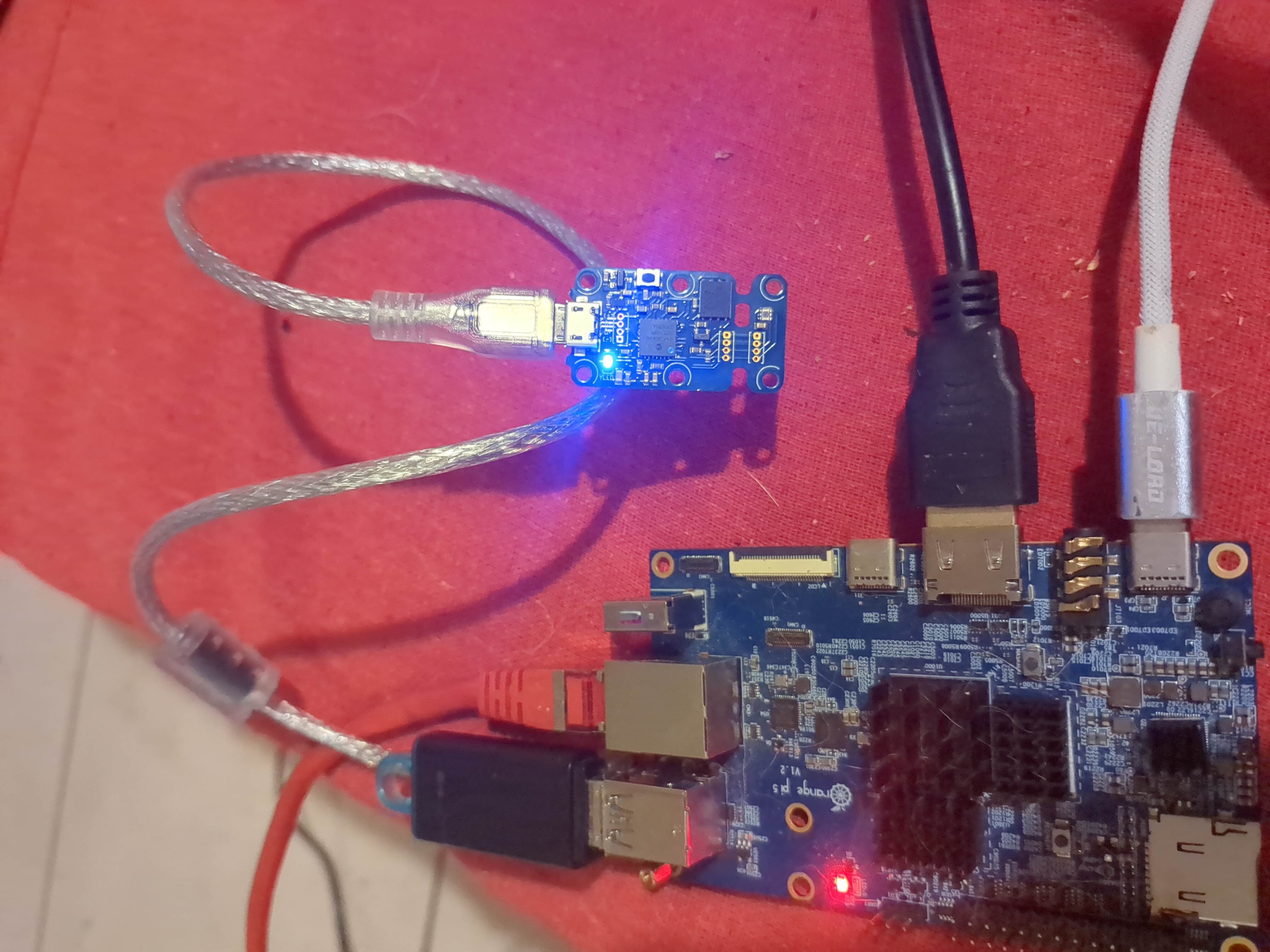
Install dietpi To install, i recommend using dietpi. Dietpi is intersting in particular for it is lightweight, but also for it has a user-friendly menu to install automatically a lot of free software. We can mention among all the free software available to install at startup (https://dietpi.com/dietpi-software.html) home automation apps, interesting to save energy depending on the weather, but also "tor" apps to contribute to the relatively anonymizing network, which can be interesting for ecoterrorist we are. https://dietpi.com/#download Select your single board computer (orange pi in this case) and then download Unzip the downloaded archive. Use balena etcher to create a bootable usb key to install dietpi on your single board computer (orange pi 5 in this case but it works the same with other SBC). https://etcher.balena.io/#download-etcher Double click on the downloaded file Select the downloaded dietpi image, select your usb key, click on flash. You just have to plug your usb key to the orange pi now and it will boot automatically. For a raspberry pi, we use a sd card but you can configure the usb boot as well (see here: https://makerhelp.fr/booter-un-raspberry-pi-4-sur-un-disque-dur-ou-un-ssd-en-usb/). Power on your orangepi/raspberrypi with the usb key plugged. Follow the dietpi menu at first boot to install dietpi without any other software. It is very easy, it is in english, everything is automated. You can move in the menus with arrow and tab keyboard keys. Select with space and validate with enter. Do not install optional software like nextcloud.
Plug in the luminosity sensor yoctopuce yoctolight v4
The blue led of the sensor blinks slowly when the sensor is plugged in. Watch out not to unplug the sensor when measuring, otherwise you will need to restart the server (or just docker compose down && docker compose up)
install django server
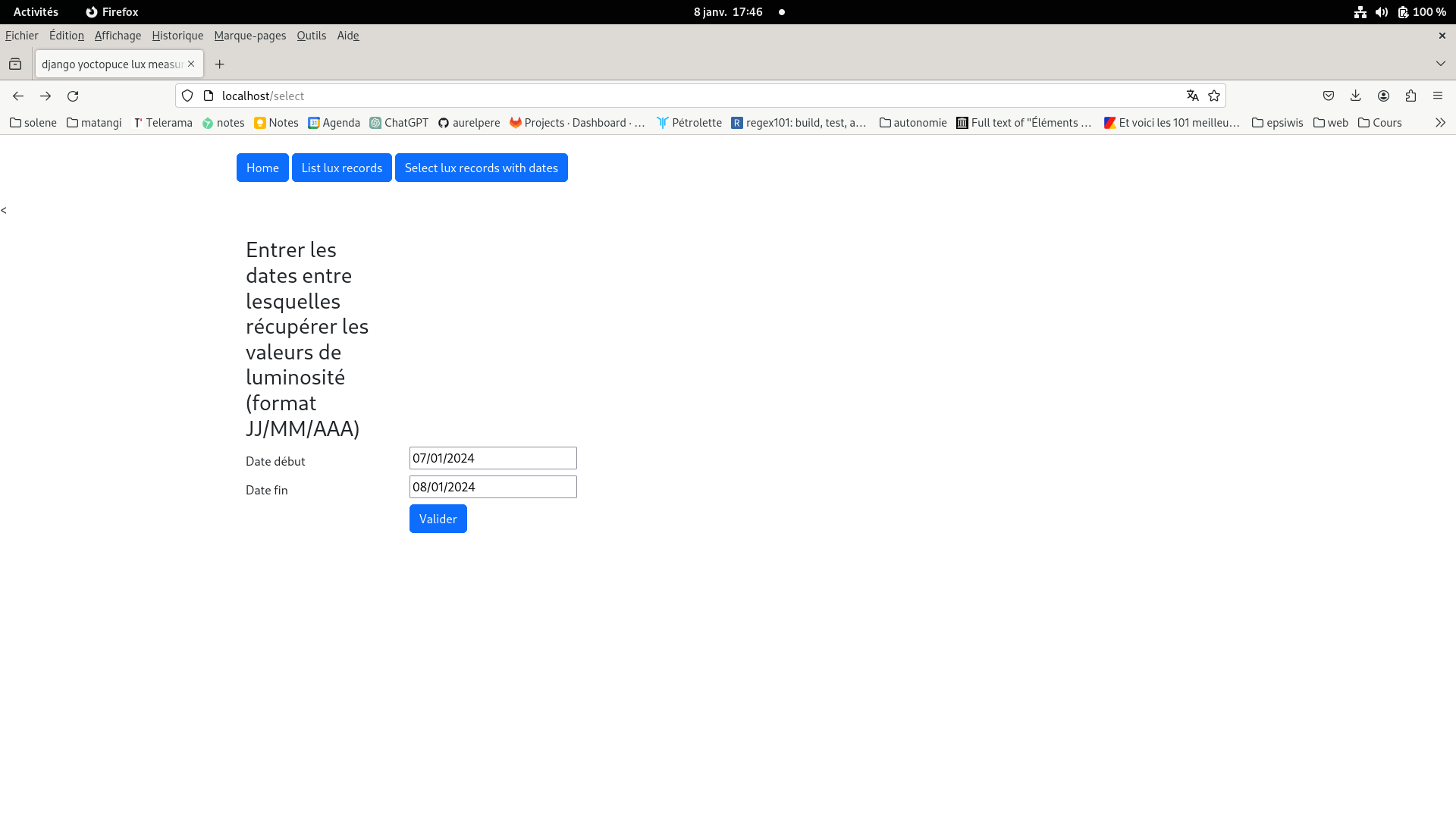
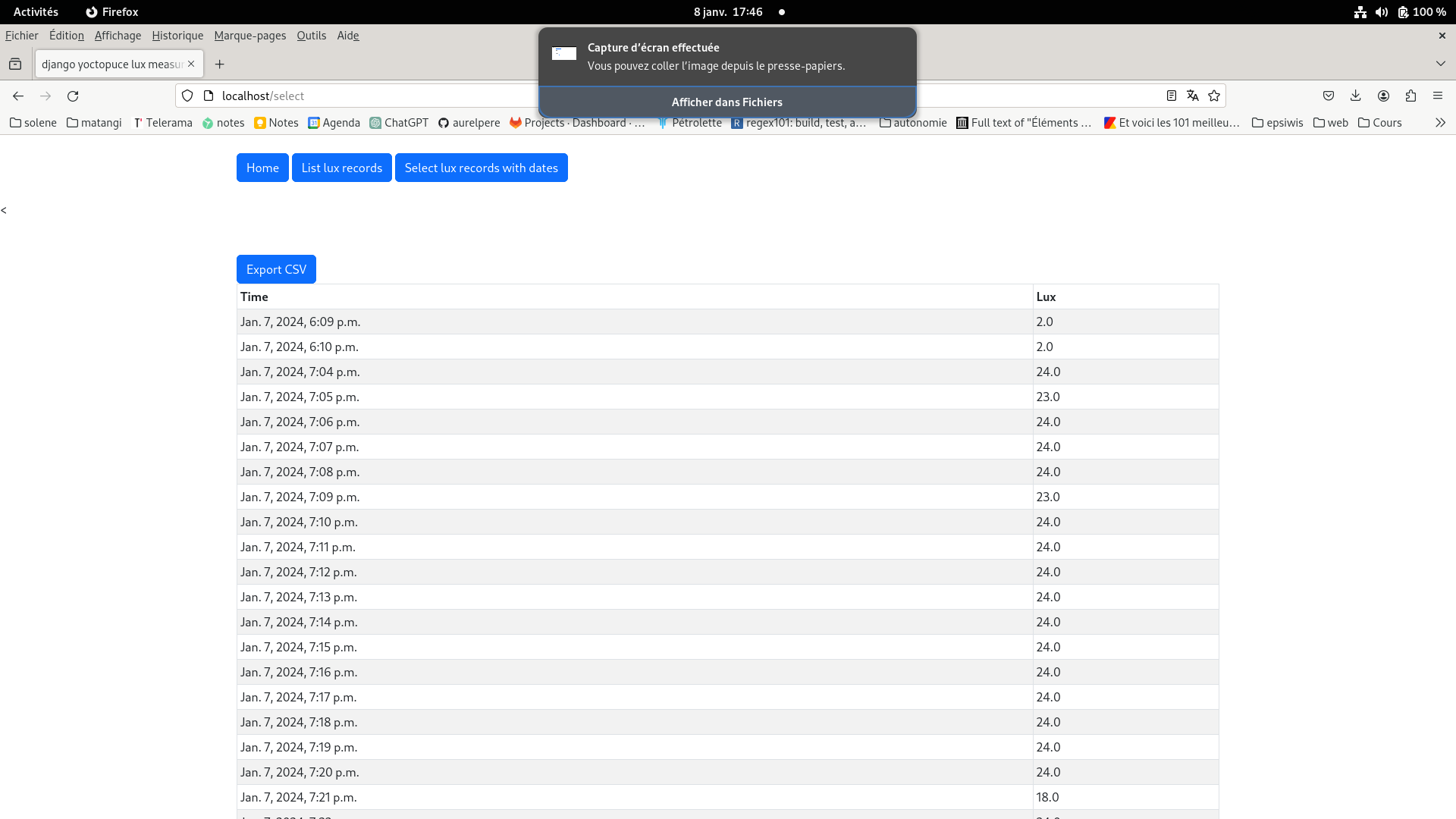
1.install docker: type in your terminal: sudo apt -y update && sudo apt -y upgrade sudo apt install git lsb-release gnupg2 apt-transport-https ca-certificates curl software-properties-common -y curl -fsSL https://download.docker.com/linux/debian/gpg sudo add-apt-repository "deb [arch=$(dpkg --print-architecture)] https://download.docker.com/linux/debian $(lsb_release -cs) stable" sudo apt update sudo apt install docker-ce docker-ce-cli containerd.io docker-compose-plugin sudo usermod -aG docker $USER newgrp docker sudo systemctl start docker && sudo systemctl enable docker 2.follow the instructions on the repository https://gitlab.com/aurelpere/lux (free software i coded to use yoctolight more easily): type in your terminal git clone https://gitlab.com/aurelpere/lux.git type in your terminal cd lux && docker compose up It is ready, your single board computer records the luminosity measurements in lux every minute and runs a website available on port 4000 that permits to display database recorded measurements and select measurements based on dates filter (with possible excel export). To make the website available to other computers, see stages 6 to 11 of this tutorial: Serveur orangepi-raspberry nextcloud en photovoltaïque autonome The sever is available at http://ip_address:4000 locally and http://public_ip_address on the internet This tutorial will be updated with amperage and voltage yoctopuce sensors when i have time, motivation and budget :) Notice that if you prefer to use sunlight stats of the jrc model, you can use my other tutorial on offgrid photovoltaic sizing here: Dimensionner une installation photovoltaïque autonome





← Retour au répertoire — Fiche originale sur wiki.lowtechlab.org ↗